
NOUN Virtual Examination 2026_2: Registration, ₦5,000 Fee and Requirements

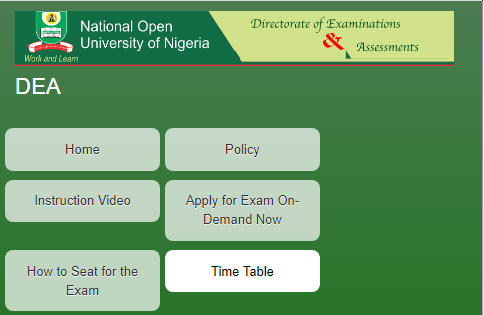
Students of the National Open University of Nigeria (NOUN) who intend to take the Virtual Examination for the 2026_2 semester are required to register through the NOUN Student Portal.
The university has announced that students can register for the Virtual Examination, covering both POP and e-Exam, through their student portal. The virtual examination registration attracts a ₦5,000 fee per course, which will be automatically deducted from the student’s e-wallet during registration.
This guide explains the NOUN Virtual Examination registration process, fee, requirements, deadline and documents students need to submit.
What Is the NOUN Virtual Examination?
The NOUN Virtual Examination is an examination option available to eligible students who are unable to take their examinations at the regular physical examination venue for approved reasons.
The virtual examination covers both:
- POP (Pen-on-Paper) examination
- e-Examination
Students who wish to apply for the virtual examination must complete the registration through their NOUN Student Portal and provide the required supporting documents.
How Much Is the NOUN Virtual Examination Registration Fee?
The NOUN Virtual Examination fee is ₦5,000 per course.
The fee is automatically deducted from the student’s e-wallet when the student registers for the virtual examination.
For example:
| Number of Courses | Virtual Examination Fee |
|---|---|
| 1 course | ₦5,000 |
| 2 courses | ₦10,000 |
| 3 courses | ₦15,000 |
| 4 courses | ₦20,000 |
| 5 courses | ₦25,000 |
Students should ensure that they have sufficient funds in their e-wallet before attempting to register.
RECOMMEND
How to Register for NOUN Virtual Examination
Students who want to apply for the virtual examination should follow these steps:
- Step 1: Visit the NOUN Student Portal NOUN Student Portal
- Step 2: Log in to Your Account
- Enter your student login details to access your NOUN portal.
- Step 3: Click on “My Courses”
- After successfully logging into your student portal, locate and click on “My Courses.”
- Step 4: Scroll down
- After opening My Courses, scroll down the page and click on Register For Virtual Exam
- Step 5: Click on “Register for Virtual Exam”
- Click on “Register for Virtual Exam” to begin your virtual examination application.
- Step 6: Complete the application
- Follow the instructions displayed on the portal and provide all the required information.
- Step 7: Upload your documents
- Upload the required supporting documents. Remember that all required documents must be merged into a single PDF file before uploading.
- Step 8: Submit your application
- Review the information and uploaded documents carefully, then submit your application for approval.
Students should be aware that submission of an application does not automatically guarantee approval. Applications are subject to approval by the university.

Need Help With NOUN Virtual Exam Registration?
Students who need help with their Virtual Examination registration can reach out to EDUSPORTAL TEAM.
We assist students with the registration process and guide you through the required steps.
📞 Call: 081171413104
💬 WhatsApp: https://wa.me/2348117413104
When Does NOUN Virtual Examination Registration Close?
The NOUN Virtual Examination registration closes at the same time as course and examination registration.
Therefore, students who intend to apply for the virtual examination should not wait until the last day. They should complete both their course/examination registration and virtual examination application before the applicable deadline.
For the 2026_2 academic calendar, course and examination registration is scheduled to run from 8 June 2026 to 8 September 2026.
NOUN Virtual Examination Requirements
The documents required depend on the reason for requesting the virtual examination.
Applicants should ensure that their documents are valid, clear and relevant to their application.
Requirements for Students Outside Nigeria
Students who are currently outside Nigeria should provide the following:
- Valid International Passport Data Page
- Valid Visa Page of the Current Country
- Current Residential Address in the Country of Stay
- Current Mobile Number in the Country of Stay
Requirements for Health and Other Issues
Students applying because of health-related or other approved circumstances should provide appropriate supporting documents.
The requirements include:
Valid Hospital or Medical Documents
Students applying on medical grounds should provide valid hospital or medical documentation clearly stating the reason for their inability to attend the physical examination venue.
Evidence of National Assignment or Official Engagement
Students who are away from their study centre because of an official assignment should provide valid evidence of the national assignment or official engagement.
The evidence should support the reason given in the application.
Other Relevant Supporting Documents
Applicants may also provide other relevant documents that support their reason for requesting the virtual examination.
Students should ensure that the documents submitted are genuine, valid and relevant to their application.
These documents should be provided as part of the virtual examination application and merged into one PDF file for upload.
All Documents Must Be Merged Into One PDF
One of the important instructions for applicants is that the required documents should be merged into a single PDF file before uploading.
For example, a student applying from outside Nigeria may need to combine:
- International passport data page
- Visa page
- Other required supporting information/documents
into one PDF document.
Students should check the uploaded PDF carefully before submitting their application to ensure that every required document is included and readable.
Frequently Asked Questions About NOUN Virtual Examination
How much is NOUN Virtual Examination?
The NOUN Virtual Examination currently attracts a fee of ₦5,000 per course. The amount is automatically deducted from the student’s e-wallet during registration.
How do I register for NOUN Virtual Examination?
Log in to your NOUN Student Portal, click “My Course”, and follow the instructions provided. You will also need to upload the required supporting documents.
Can I apply for virtual examination for more than one course?
Yes. The fee is charged per course, meaning the total amount depends on the number of courses for which you register.
What documents are required for students outside Nigeria?
Students outside Nigeria are required to provide a valid international passport data page, valid visa page for their current country of stay, current residential address and current mobile number in the country of stay.
What documents are required for medical reasons?
Students applying because of health issues should provide valid hospital or medical documents stating the reason for their inability to attend the physical examination venue.
Can I upload separate PDF files?
The instruction states that applicants should merge all required documents into a single PDF file before uploading.
Is NOUN Virtual Examination registration automatically approved?
No. The application is subject to approval. Students must provide all required information and supporting documents correctly.
When does Virtual Examination registration close?
Virtual Examination registration closes at the same time as course and examination registration. Students should therefore complete their application before the registration deadline.
Need assistance with your registration? Contact EDUSPORTAL TEAM by phone or WhatsApp:- 08117413104 for help with your NOUN Virtual Examination registration.
How to Contact NOUN About Virtual Examination
Students who have questions or need clarification regarding the Virtual Examination can contact the university through:
Email: ondemand@noun.edu.ng
When sending an enquiry, it is advisable to clearly state your issue and provide relevant student or examination information where appropriate.
Director, Examinations and Assessment
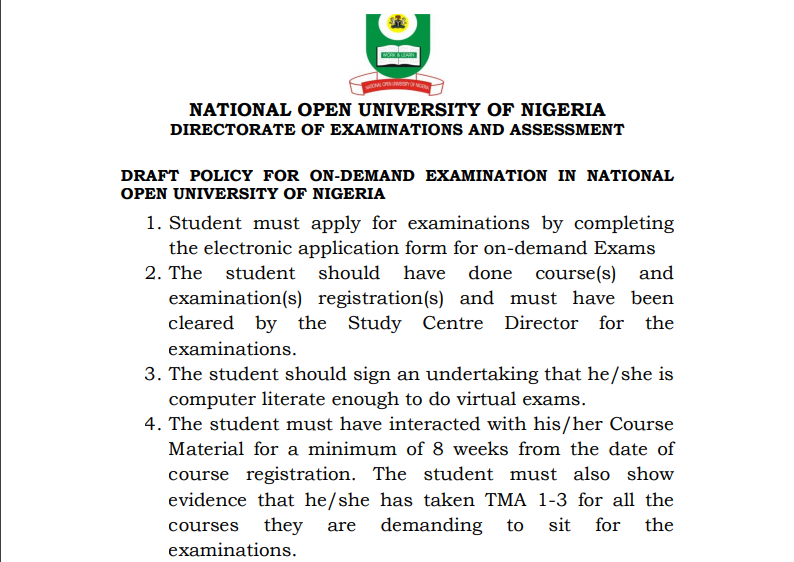



Since students are to demand virtual examinations, is there a form or an email will be sent indicating interest?
Thanks for the update. Please what form is the preceptor going to take. I will like to understand better how the virtual exams will run.
Nice
Please sir how do I submit this form
I registered for the virtual exams but I don’t have a laptop. What do I do please
go to a nice cafe and negotiate with them to help you